“Which agents do we even have?”
Agents live in different repos, notebooks and services. There is no single inventory.
HomeProductsControl Tower
AgenticOps Control Tower · Operate
One place to find, install and operate the DeepAgentLabs agent-operations stack. See which agents you run, how healthy they are and which tools each one has, then find the right tool for the next problem.
pip install agenticops-control-tower
Recent activity
Example data, simulated live. Open Control Tower to see your own fleet.
pip install agenticops-control-towerWhy it exists
Teams start with one agent and soon run dozens, across different frameworks, machines and owners. Without one shared list, nobody can answer simple questions quickly.
Agents live in different repos, notebooks and services. There is no single inventory.
An agent that silently stops working is often noticed only when a user complains.
Versions drift, and nobody knows which agent has AgenticLens, Sidecar or MCP, or which one is missing them.
Control Tower answers all three from one console: a fleet view of your agents, their health and the tools each one runs.
What it does
Control Tower turns a scattered set of agents into one fleet you can read at a glance: who runs what, how healthy it is, and which tool to add next.
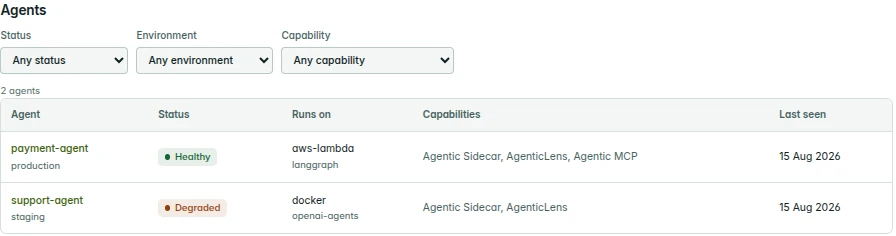
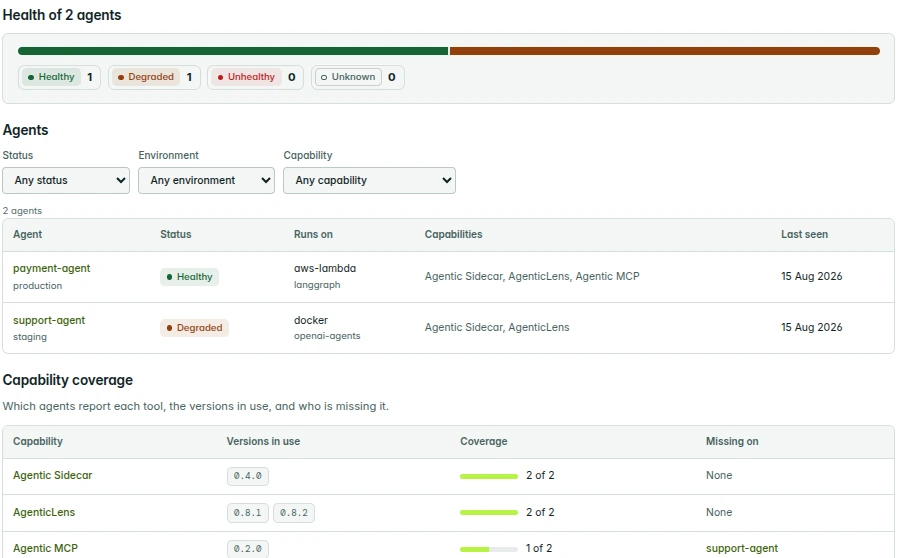
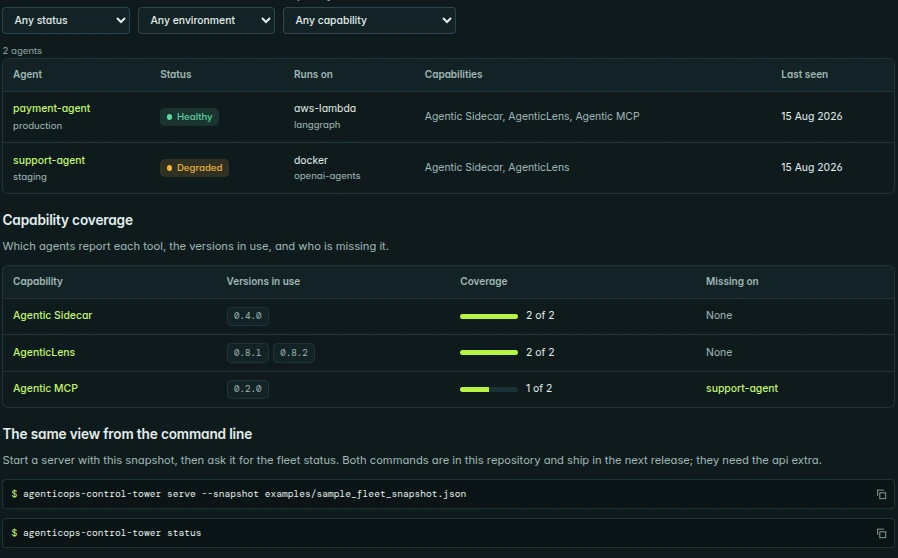
Every agent Control Tower knows about, with its environment, where it runs, its framework, its tools and when it was last seen. Filter by status, environment or capability.

One status per agent: healthy, degraded, unhealthy or unknown. A health bar across the fleet shows straight away where to look first.
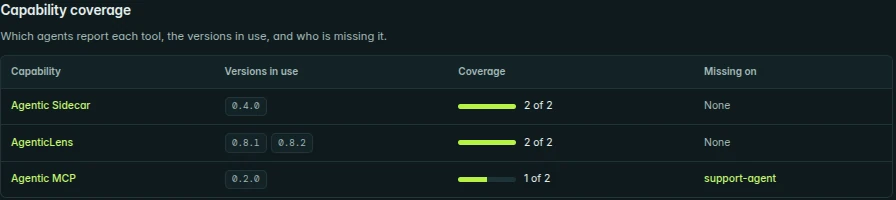
Which DeepAgentLabs tools each agent reports, the versions in use, and which agents are missing a tool, so gaps are easy to close.
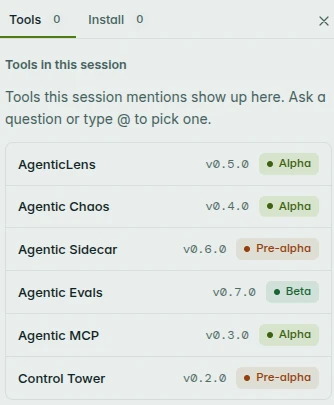
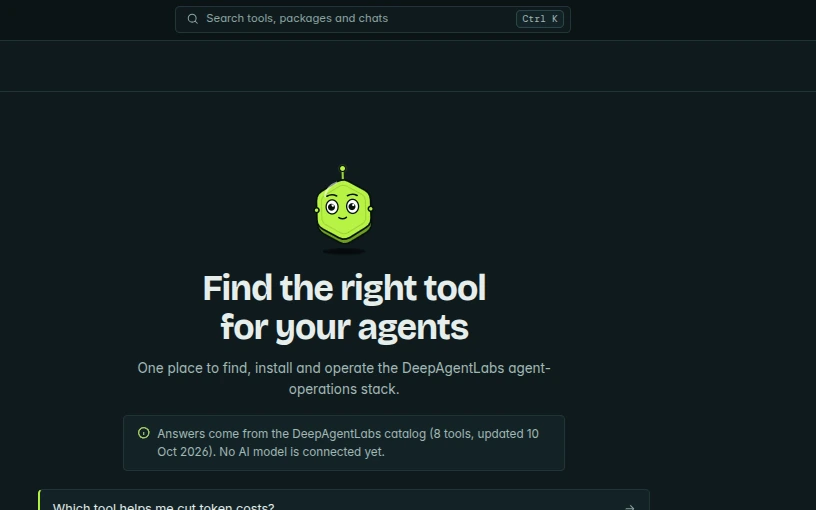
Ask which tool fits a problem, or type @ to pick one. Browse tools, packages and use cases with their version, stage and install steps.
Two ways to run it
Both use the same console. Pick the setup that fits you.
Run it yourself
Install Control Tower on your laptop or your own server. You sign in with an account that lives on that install, and nothing is sent to DeepAgentLabs: your agent inventory and history stay on the machine that runs it.
pip install agenticops-control-towerBest for: individual developers, and teams that need data to stay on their own infrastructure.
Let DeepAgentLabs run it
DeepAgentLabs runs Control Tower in the cloud. You sign in from any browser and your workspace is stored centrally, so your whole team sees the same fleet without running servers.
Best for: teams who want a shared workspace without installing or operating anything.
Inside the console
The Control Tower console runs in your browser. These screens are from the current prototype, with sample data.
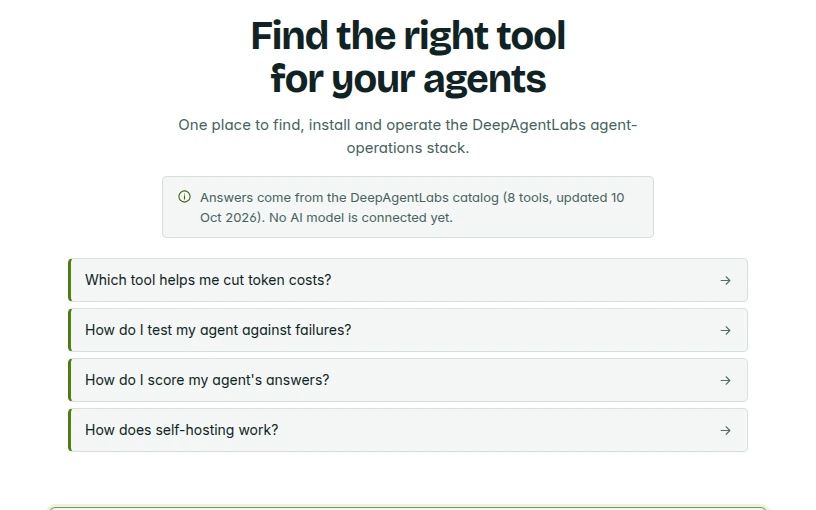
Screens change every few seconds · click one to enlarge it
How it works
Steps 3 and 4 use commands that are in the repository and ship in the next release (they need the api extra).
Add the Python package. Today it gives you the registry, discovery and status Python API.
pip install agenticops-control-towerRegister your agents with where they run and which tools they use, or start from the example snapshot in the repository.
examples/sample_fleet_snapshot.jsonServe the console and API from your machine, loading a fleet snapshot.
agenticops-control-tower serve --snapshot examples/sample_fleet_snapshot.jsonOpen the Fleet page in the console, or ask for the fleet status from the command line.
agenticops-control-tower statusHealth at a glance
Every agent gets one simple status, so the fleet view shows straight away where to look first.
Part of the ecosystem
Every DeepAgentLabs tool speaks the same AI Operations Specification. Control Tower sits at the end of the loop, knows the whole catalog and shows which agent runs what.
The stack in the Control Tower catalog
| Tool | What it's for | Version | Stage |
|---|---|---|---|
| AgenticLens | Traces, cost and latency | v0.5.0 | Alpha |
| Agentic Chaos | Fault injection and drift testing | v0.4.0 | Alpha |
| Agentic Sidecar | Allow, warn or block actions | v0.6.0 | Pre-alpha |
| Agentic Evals | Scoring and CI gates | v0.7.0 | Beta |
| Agentic MCP | Every tool through one MCP interface | v0.3.0 | Alpha |
| Control Tower | Fleet registry and console | v0.2.0 | Pre-alpha |
Versions as listed in the Control Tower catalog (updated 10 Oct 2026).
Works with any framework
Status
Control Tower is pre-alpha and built in the open. Here's exactly what you can use now and what's coming.
Available now
Next release
serve commandstatus CLIapi extraPreview
Planned
FAQ
Quick answers about cost, data, the chat and what works today.
Yes. It's open source and free to use, like every DeepAgentLabs package.
Not when you self-host. Your agent inventory and history stay on the machine that runs Control Tower, with a local account and no central database. The hosted version, when it arrives, stores your workspace in the DeepAgentLabs cloud.
Not yet. Answers come from the DeepAgentLabs catalog of tools. Connecting an AI model is planned.
Yes, as a Python package: v0.2.0 on PyPI gives you the registry, discovery and status API. The serve command and the CLI ship in the next release, and the console is a preview.
Any. The sample fleet includes agents built with LangGraph and the OpenAI Agents SDK, running on AWS Lambda and Docker.
Try it
Explore the console preview, or install the package and run it on your own machine.